3DTouch – Personal 3D Printer Revolution
The 3DTouch represented Bits From Bytes’ ambitious vision to bring 3D printing from maker workshops and educational institutions directly into homes and small offices worldwide. Launched in 2010 as a fully-assembled, consumer-focused alternative to the kit-based RapMan series, the 3DTouch attempted to bridge the gap between DIY RepRap culture and mainstream technology adoption at a pivotal moment in desktop manufacturing history.
This comprehensive guide explores the technical specifications, design philosophy, market positioning, and lasting impact of the 3DTouch printer. Whether you’re researching consumer 3D printing evolution, maintaining vintage equipment, or understanding how early desktop printers influenced modern manufacturing technology, this article preserves essential knowledge about a machine that represented both the promise and challenges of bringing additive manufacturing to mass markets.
Historical Context and Vision
The Consumer 3D Printing Opportunity (2009-2010)
By 2009-2010, desktop 3D printing had achieved proof-of-concept success within maker communities, educational institutions, and technical early adopters. RepRap projects had demonstrated self-replication feasibility, the RapMan series had shown commercial viability of open-source derived hardware, and media coverage from publications like Wired, Make Magazine, and TechCrunch had generated significant mainstream interest in the technology.
However, a substantial barrier remained between hobbyist adoption and broader market penetration. The existing options presented challenges that limited appeal beyond dedicated enthusiasts:
Kit-Based Systems (RapMan, Makerbot Cupcake, RepRap variants) required 10-20+ hours of careful assembly, mechanical aptitude, and willingness to troubleshoot during construction. While this provided educational value and deep understanding of printer mechanics, it intimidated potential users who simply wanted to produce objects rather than build machines.
Industrial Systems (Stratasys, 3D Systems, Z Corporation) offered turnkey operation and professional results but cost $15,000-300,000+, placing them far beyond consumer budgets and requiring dedicated facilities, specialized training, and ongoing service contracts.
The Market Gap existed for users who valued convenience over educational assembly experience, needed reliable operation without extensive technical knowledge, wanted professional-quality results at accessible pricing, and sought devices that fit naturally into home or small office environments without industrial infrastructure requirements.
The 3DTouch targeted this underserved segment, attempting to become the first truly consumer-ready desktop 3D printer before the concept even had established market definition.
Bits From Bytes’ Strategic Positioning
The 3DTouch launch reflected BfB’s evolving strategy following the 2010 acquisition by 3D Systems, one of the additive manufacturing industry’s established leaders. The acquisition provided resources for consumer product development while BfB’s open-source heritage and community connections offered insights into user needs and pain points that traditional industrial manufacturers lacked.
Several factors influenced the 3DTouch’s development:
Market Timing: Media coverage of 3D printing had created awareness among broader audiences who saw potential applications in education, small business, prototyping, and creative pursuits but lacked technical backgrounds for kit assembly.
Price Positioning: Target pricing around $1,500-2,000 placed the 3DTouch below industrial systems while reflecting the additional value of fully-assembled, tested hardware compared to $800-1,200 kits requiring assembly.
Technology Maturation: RepRap-derived technology had evolved sufficiently that reliable consumer products became technically feasible with proper engineering, quality control, and streamlined software.
Competition Emergence: MakerBot’s upcoming shift toward assembled printers and other companies exploring consumer markets created pressure to establish market position before competitors gained traction.
Design Philosophy: Consumer-First Approach
Unlike the RapMan series which embraced maker culture through kit assembly and open modification, the 3DTouch prioritized consumer experience through:
Complete Assembly: Factory assembly and testing ensured users received functioning printers rather than boxes of components requiring construction expertise.
Enclosure Design: Fully enclosed print chamber provided safety, reduced noise, improved temperature stability, and created appliance-like appearance suitable for home/office environments.
Simplified Software: Streamlined slicing workflow and printer management software reduced technical complexity compared to Skeinforge’s extensive configuration options.
Aesthetic Refinement: Professional industrial design created visually appealing product that complemented modern offices rather than announcing “hobbyist project in progress.”
Safety Features: Enclosed design prevented accidental contact with hot components while filtration addressed concerns about printing in occupied spaces.
Technical Specifications
Build Volume and Frame Construction
The 3DTouch featured a compact build envelope optimized for consumer applications:
Build Volume:
- X-axis (width): 210mm (8.3 inches)
- Y-axis (depth): 210mm (8.3 inches)
- Z-axis (height): 145mm (5.7 inches)
Total Build Volume: Approximately 6.4 liters
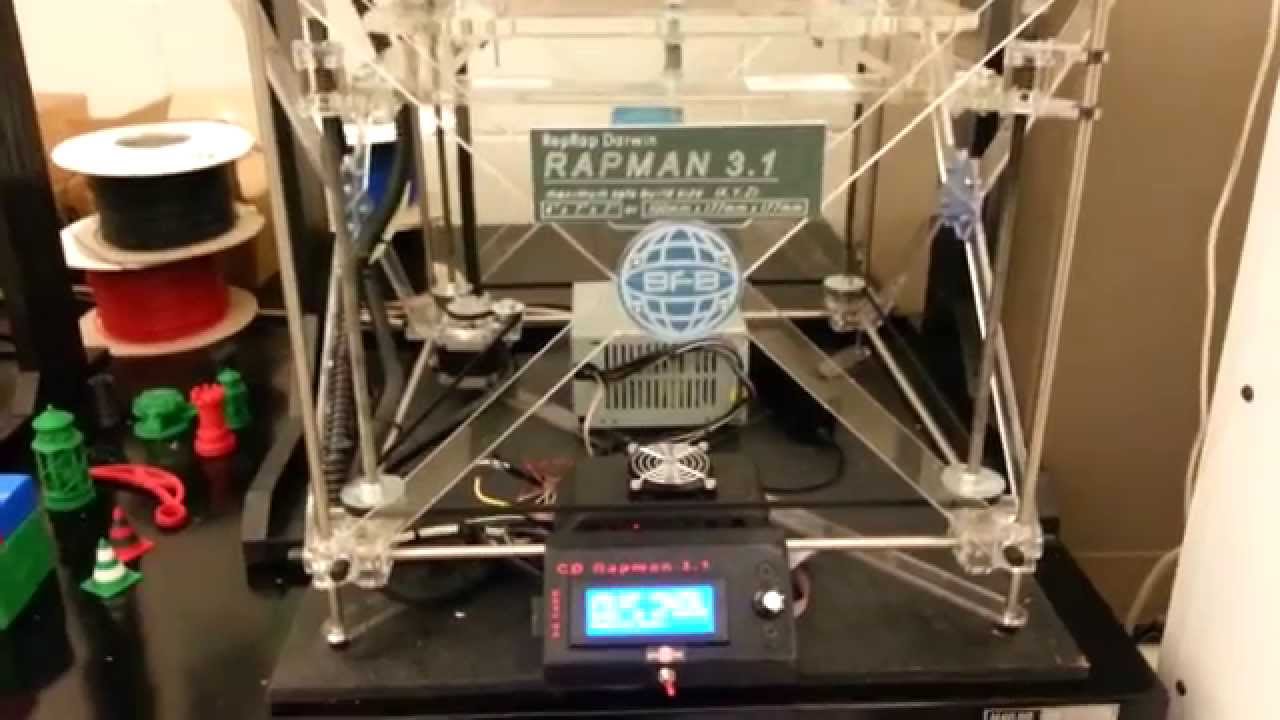
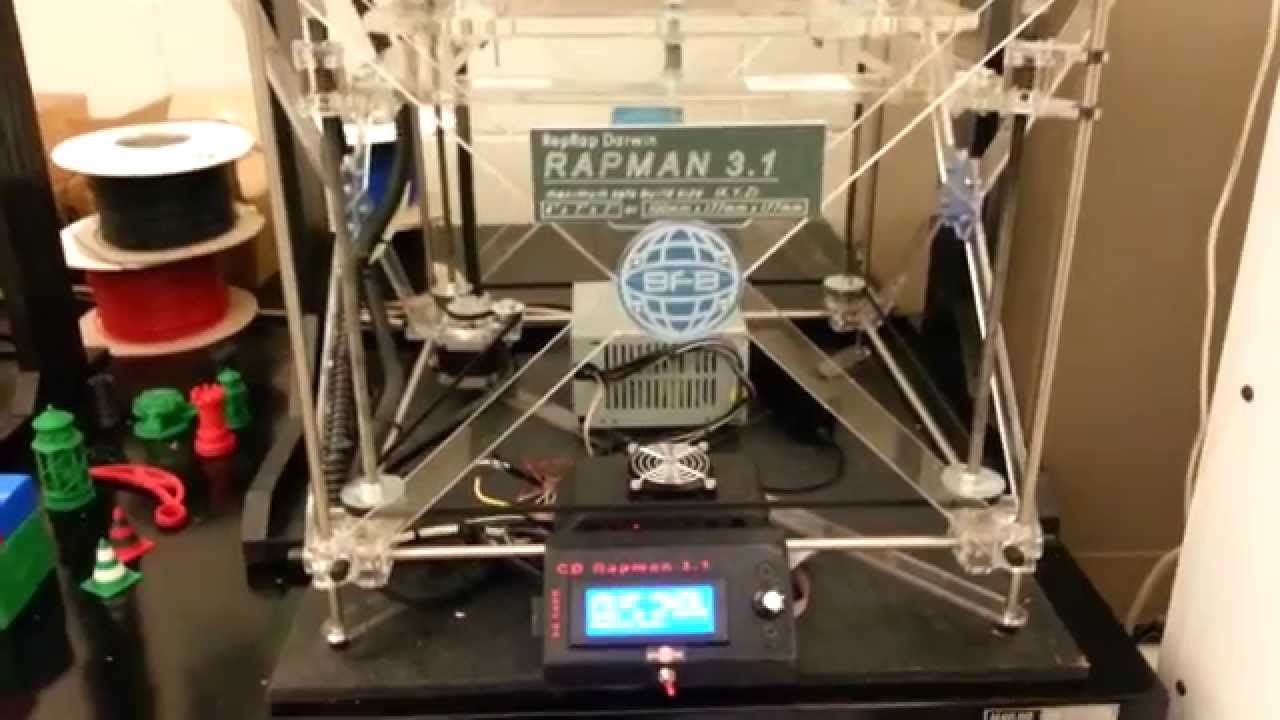
This represented roughly 40% of the RapMan 3.1’s build volume, reflecting design priorities favoring smaller footprint and lower material costs for typical consumer prints (replacement parts, customized accessories, creative objects, educational models, small prototypes) over maximum part size.
The frame construction emphasized different priorities than industrial or kit machines:
Enclosure: Injection-molded ABS panels creating closed print chamber with acrylic window for monitoring print progress.
Internal Frame: Steel and aluminum structural components providing rigidity while maintaining compact overall dimensions.
Footprint: Approximately 380mm × 380mm × 450mm (15″ × 15″ × 17.7″), comparable to desktop laser printer and suitable for desk or shelf placement.
Weight: Approximately 12-15kg (26-33 lbs), manageable for single-person relocation and desktop placement.
Access: Front-opening door with magnetic closure for easy print removal and maintenance access.
Extrusion System
The 3DTouch employed single-extruder configuration optimized for reliability:
Hot End Type: All-metal hot end with brass nozzle
Nozzle Diameter: 0.5mm standard (period typical, larger than modern 0.4mm standard)
Max Temperature: 240°C, sufficient for PLA and ABS
Thermistor: 100k NTC thermistor for temperature sensing
Heater: Resistive cartridge heater (12V, 40W typical)
Drive Mechanism: Wade’s extruder design (RepRap derivative) with hobbed bolt and spring-loaded bearing
Filament Diameter: 3mm (2.85mm actual) standard for the era
Extrusion Control: Stepper motor with firmware-controlled feed rates
The single-extruder choice reflected consumer priorities: reliability and simplicity over multi-material capability that added complexity and potential failure points.
Heated Build Platform
Consistent with consumer focus on ABS and PLA materials:
Bed Material: Aluminum plate with textured surface
Heating: PCB-based heater or silicone pad (12V, 100-120W)
Max Temperature: 110°C, suitable for ABS printing
Temperature Control: PID-regulated for stability
Surface: Removable build surface (Kapton tape or specialized coating)
Leveling: Manual 3-point or 4-point adjustment with spring-loaded screws
The heated bed proved essential for ABS printing while consuming significant power and extending warm-up time—trade-offs accepted for material versatility.
Motion System
The 3DTouch utilized Cartesian coordinate system with consumer-optimized components:
Linear Motion:
- 8mm hardened steel rods on all axes
- LM8UU linear bearings
- Smooth, quiet operation prioritized
Drive System:
- Timing belts (GT2) on X and Y axes
- Threaded rod (M5 or M8) on Z-axis
- NEMA 17 stepper motors
Positioning Accuracy: ±0.2-0.3mm typical for consumer applications
Maximum Speed: 50-80mm/s practical print speed (conservative for reliability)
Acceleration: Limited to reduce vibration and maintain print quality
Electronics and Control
Consumer-oriented electronics emphasized reliability and integration:
Controller Board: Custom BfB board or Arduino Mega + RAMPS derivative
Processor: ATmega2560 or equivalent 8-bit microcontroller
Firmware: Modified Marlin or custom firmware
Stepper Drivers: Integrated drivers with appropriate current control
Power Supply: 12V DC power supply integrated into enclosure
Connectivity: USB connection to computer for print management
Display: Optional LCD display (later models) for print monitoring
Safety: Thermal protection, emergency stop capability
The integrated design minimized exposed wiring and external components, creating appliance-like user experience.
Software and Workflow
Bundled Software Suite
The 3DTouch included integrated software package designed for consumer accessibility:
Design/Modeling Software:
- Basic CAD software or third-party integrations
- STL file format support for universal compatibility
- Model repair tools for fixing common mesh issues
Slicing Software:
- Simplified Skeinforge interface or custom slicer
- Pre-configured profiles for common materials
- Limited parameter exposure reducing overwhelming options
- Print time and material usage estimation
Printer Management:
- USB connection software for printer control
- Print queue management
- Real-time monitoring
- Manual control for testing and maintenance
Simplified User Experience
The software workflow emphasized streamlined operation:
Step 1: Obtain or Create Model
- Download from online repositories (Thingiverse, etc.)
- Create in bundled or third-party CAD software
- Scan physical objects (with separate scanner)
Step 2: Prepare for Printing
- Import STL file
- Select material type (PLA or ABS)
- Choose quality level (draft, standard, fine)
- Preview print with estimated time
Step 3: Send to Printer
- Connect via USB
- Initiate print from software
- Monitor progress through window or software
Step 4: Retrieve Print
- Allow cooling
- Remove from build platform
- Post-process as needed
This four-step process abstracted technical complexity while maintaining sufficient control for successful printing.
Materials and Printing Capabilities
Supported Materials
The 3DTouch primarily printed two thermoplastics optimized for consumer use:
PLA (Polylactic Acid):
- Primary recommended material for ease of use
- Lower temperature requirements (190-210°C)
- Minimal warping without heated bed
- Corn-based, marketed as environmentally friendly
- Ideal for educational, decorative, and non-functional parts
ABS (Acrylonitrile Butadiene Styrene):
- Alternative for stronger, more durable parts
- Higher temperature requirements (230-240°C)
- Required heated bed and enclosed chamber
- Better impact resistance and heat tolerance
- Suitable for functional prototypes and tools
The dual-material capability provided flexibility while keeping material complexity manageable for consumer users.
Print Quality and Capabilities
Layer Resolution:
- Typical: 0.25-0.3mm layer heights
- Fine detail: 0.15-0.2mm possible with patience
- Draft: 0.4mm for faster prototyping
Dimensional Accuracy:
- ±0.3-0.5mm typical for well-calibrated machine
- Sufficient for most consumer applications
- Better X/Y accuracy than Z-axis
Surface Finish:
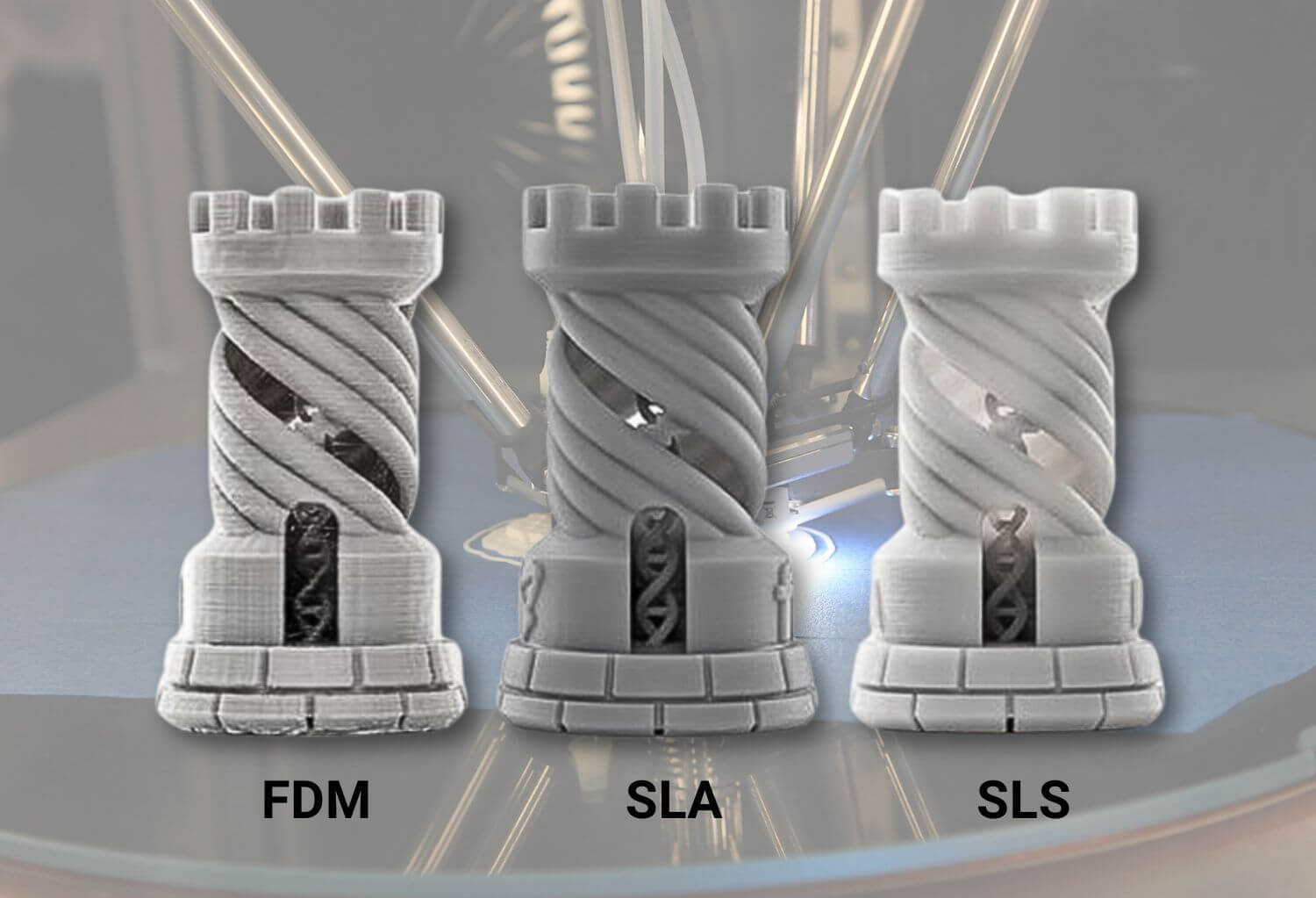
- Visible layer lines characteristic of FDM
- Acceptable for prototypes and functional parts
- Suitable for painting or post-processing
Build Speed:
- 2-8 hours for typical consumer objects
- Overnight prints common for complex models
- Slower than modern printers but acceptable for era
Designed Applications
The 3DTouch targeted specific consumer use cases:
Home and Office:
- Replacement parts for household items
- Custom organizational solutions
- Personalized gifts and decorations
- Artistic creations and sculptures
Small Business:
- Product prototypes for testing
- Custom jigs and fixtures
- Limited-run production (10-50 units)
- Marketing models and samples
Education:
- Student projects and demonstrations
- Teaching aids and visualizations
- STEM program integration
- Design thinking exercises
Creative Pursuits:
- Jewelry and fashion accessories
- Gaming miniatures and terrain
- Cosplay props and costume elements
- Architectural models
Market Reception and Challenges
Initial Reception and Early Adopter Response
The 3DTouch launched into a market simultaneously enthusiastic about 3D printing potential and uncertain about practical consumer applications:
Positive Reception:
- Media coverage from Wired, ExtremeTech, Hackaday celebrating accessibility
- Early adopters appreciated assembled, ready-to-print convenience
- Educational institutions valued turnkey operation for classroom use
- Small businesses found sweet spot between capability and cost
Identified Challenges:
- Build volume smaller than kit alternatives at similar price points
- Enclosed design complicated maintenance access
- Consumer software sometimes oversimplified for power users
- Price premium over kits questioned by technically capable buyers
Competitive Landscape Evolution
The 3DTouch entered market just as desktop 3D printing experienced rapid change:
MakerBot Thing-O-Matic (2010) and subsequent Replicator (2012) offered assembled alternatives with strong community support and growing ecosystem.
RepRap Derivatives continued evolving, with improved documentation and partial-kit options reducing assembly barriers.
3D Systems’ Own Strategy evolved post-acquisition, potentially diverting resources from 3DTouch development toward Cube printer (2012) and other initiatives.
Price Pressure from Chinese manufacturers entering market with lower-cost alternatives challenged premium positioning.
Production Duration and Legacy
The 3DTouch’s production period was relatively brief (2010-2012 approximately), with several factors contributing:
3D Systems Strategic Shift: Focus redirected toward Cube consumer printer and professional systems after acquisition integration.
Market Maturation: Consumer 3D printing market evolved faster than expected, with new entrants and changing expectations.
Technology Advancement: Rapid improvements made 2010-era designs appear dated within 18-24 months.
Price/Performance Evolution: New entrants offered better specifications at competitive or lower prices.
Despite limited production run, the 3DTouch influenced subsequent consumer printer development through lessons about user experience, safety considerations, and market positioning.
Technical Achievements and Innovations
Consumer-Focused Engineering
The 3DTouch demonstrated several approaches that became standard in consumer 3D printing:
Fully Enclosed Design: Protected users from hot components while improving print quality through temperature stability. Later became standard safety feature.
Integrated Software: Single package handling design-to-print workflow simplified user experience and reduced technical barriers.
Safety Certifications: Pursued consumer safety certifications (CE, FCC) establishing precedent for treating 3D printers as consumer electronics rather than industrial equipment.
Noise Reduction: Enclosure dampened motor and mechanical noise, making operation acceptable in home/office environments.
Aesthetic Design: Professional appearance suitable for visible placement demonstrated 3D printers could be consumer products rather than industrial machinery.
Educational Impact
Educational institutions represented significant 3DTouch market segment:
Classroom Integration: Turnkey operation enabled teachers without technical backgrounds to operate printers effectively.
Student Safety: Enclosed design addressed school safety requirements that open-frame printers couldn’t meet.
Curriculum Development: Successful educational deployments informed teaching materials and project-based learning approaches.
STEM Engagement: Accessible technology introduced students to digital fabrication concepts and design thinking.
The educational legacy extended beyond the specific hardware, influencing how schools approached 3D printing integration.
Maintenance and Operation
Routine Maintenance Requirements
Consumer design influenced maintenance approach:
Weekly Tasks:
- Clean build surface
- Verify bed leveling
- Check filament path
- Ensure ventilation clear
Monthly Tasks:
- Lubricate linear rods
- Clean nozzle exterior
- Verify belt tension
- Inspect electrical connections
Periodic Maintenance:
- Replace nozzle if worn/clogged
- Deep clean print chamber
- Update firmware/software
- Calibrate temperature sensors
Common Issues and Solutions
Print Adhesion Problems:
- Verify bed leveling across entire surface
- Ensure proper bed temperature for material
- Apply appropriate surface treatment (Kapton, glue, etc.)
- Check nozzle height (Z-offset calibration)
Stringing and Oozing:
- Adjust retraction settings in slicer
- Verify temperature not excessively high
- Increase travel speed
- Dry filament if moisture-absorbed
Layer Shifting:
- Check belt tension and pulley set screws
- Reduce print speed and acceleration
- Verify stepper driver current
- Ensure mechanical obstructions clear
Temperature Inconsistency:
- PID tune hotend and bed
- Verify thermistor connections
- Check heater resistance
- Replace failing components
Upgrading and Modifications
Despite consumer focus, technically inclined owners modified their 3DTouches:
Electronics Upgrades: Modern 32-bit boards offered enhanced features and reliability.
Hot End Replacement: E3D and other aftermarket hot ends improved performance and expanded material compatibility.
Bed Surface: Upgraded to PEI or other modern surfaces improving adhesion and part removal.
Cooling Enhancement: Additional cooling fans for improved bridging and overhangs.
Automated Leveling: Sensor additions enabling mesh bed compensation.
The RepRap heritage and standard components enabled modifications despite enclosed consumer design.
Modern Perspective and Historical Significance
Contribution to Consumer 3D Printing Evolution
The 3DTouch’s historical importance transcends its commercial success:
Consumer Experience Focus: Demonstrated that user experience and safety considerations mattered for mass market appeal.
Safety Precedents: Enclosed design and safety certifications influenced subsequent consumer printer development.
Price/Feature Positioning: Helped establish market expectations for consumer 3D printer capabilities and pricing.
Software Integration: Showed value of cohesive software experience over collection of separate tools.
Market Education: Media coverage and deployments increased public awareness of 3D printing potential.
Lessons for the Industry
The 3DTouch experience provided insights that shaped subsequent product development:
Build Volume Expectations: Consumers valued larger build volumes more than initially anticipated, informing later designs.
Maintenance Accessibility: Enclosed designs needed better maintenance access balance with safety benefits.
Community Importance: Strong user communities and ecosystem mattered more than initially recognized.
Price Sensitivity: Consumer market proved more price-sensitive than professional segments, requiring careful cost management.
Update Expectations: Software and firmware updates became expected features rather than nice-to-have additions.
Collector Value and Preservation
As early consumer 3D printer, 3DTouch units interest collectors and technology historians:
Rarity: Limited production run makes functional units relatively scarce.
Historical Significance: Represents important transition from hobby to consumer product.
Documentation: Original marketing materials, manuals, and packaging add collector value.
Condition: Well-maintained units with original software and accessories command premium.
Operational Status: Functional units worth more than display pieces.
Museum Interest: Technology museums and educational institutions preserve examples.
Current Market and Value
Secondary Market Availability:
- Occasional sales through online marketplaces
- Educational institution surplus
- Private sales within 3D printing communities
- Technology auctions
Typical Pricing:
- Functional with accessories: $300-600
- Non-functional/parts: $100-200
- Museum/collector quality: $600-1,000
- Historical significance adds value over pure utility
Evaluation Factors:
- Mechanical condition
- Electronics functionality
- Original software and documentation
- Included materials and accessories
- Overall completeness and presentation
Comparison with Contemporary Systems
Versus Kit-Based Competitors
3DTouch Advantages:
- Fully assembled and tested
- Enclosed safety and aesthetics
- Integrated software experience
- Suitable for non-technical users
Kit Competitor Advantages (RapMan, early MakerBot):
- Larger build volumes
- Educational assembly experience
- Lower pricing
- Better maintenance access
- Stronger maker community
Versus Later Consumer Printers
Modern consumer printers surpass 3DTouch specifications significantly:
Modern Advantages:
- Larger build volumes in smaller footprints
- Faster print speeds (100+ mm/s)
- Better print quality and reliability
- Automatic bed leveling
- Onboard controls and displays
- WiFi connectivity
- Quieter operation
- Lower prices ($200-400 for comparable)
3DTouch Advantages:
- Historical significance
- Educational value
- Understanding technology evolution
- Collector interest
Versus Contemporary Professional Systems
Professional System Advantages (then and now):
- Superior print quality
- Better reliability and uptime
- Professional support and service
- Wider material compatibility
- Validated processes
3DTouch Advantages:
- 90%+ cost reduction
- Suitable for office environment
- No specialized facility required
- User-serviceable design
Technical Specifications Summary
Physical Dimensions
| Specification | Value |
|---|---|
| Build Volume | 210mm × 210mm × 145mm |
| Machine Footprint | 380mm × 380mm × 450mm (approx) |
| Weight | 12-15 kg |
| Enclosure | Fully enclosed with acrylic window |
Extrusion System
| Parameter | Value |
|---|---|
| Hot End | All-metal, brass nozzle |
| Nozzle Diameter | 0.5mm standard |
| Max Temperature | 240°C |
| Filament Diameter | 3mm (2.85mm) |
| Drive Type | Wade’s extruder (direct drive) |
Heated Bed
| Specification | Value |
|---|---|
| Material | Aluminum plate |
| Max Temperature | 110°C |
| Heating | PCB or silicone pad (12V, 100-120W) |
| Surface | Removable with tape or coating |
Motion System
| Component | Specification |
|---|---|
| Linear Motion | 8mm rods, LM8UU bearings |
| Drive | GT2 belts (X/Y), threaded rod (Z) |
| Motors | NEMA 17 steppers |
| Max Speed | 50-80mm/s practical |
Electronics
| Component | Details |
|---|---|
| Controller | Custom BfB or Arduino Mega derivative |
| Firmware | Modified Marlin or custom |
| Power | 12V integrated supply |
| Connectivity | USB to computer |
Frequently Asked Questions
Can I still buy a 3DTouch printer new?
No, Bits From Bytes discontinued 3DTouch production around 2011-2012. Used units occasionally appear on secondary markets, auction sites, and through educational institution surplus sales. Prices vary based on condition and completeness, typically $300-600 for functional systems. Before purchasing, verify mechanical condition, test electronics functionality, and ensure original software availability or compatibility with modern alternatives like Cura or PrusaSlicer.
What filament works with the 3DTouch?
The 3DTouch uses 3mm (2.85mm actual diameter) filament, still available though less common than 1.75mm. Major brands like Hatchbox, Prusament, and eSun offer 2.85mm PLA and ABS. The printer handles standard PLA (190-210°C) and ABS (230-240°C) well. Modern specialty materials may work but weren’t available during production, so compatibility isn’t guaranteed. Consistent diameter tolerance (±0.05mm) matters for reliable feeding.
How does the 3DTouch compare to modern budget printers?
Modern $200-400 printers (Ender 3, Prusa Mini) offer superior specifications: faster speeds, automatic bed leveling, larger build volumes, WiFi connectivity, and better software integration. However, 3DTouch provides fully enclosed design, historical significance, and understanding of consumer 3D printing evolution. For actual printing, modern machines strongly recommended. For collecting, education, or historical interest, 3DTouch offers unique value despite inferior specifications.
Is the 3DTouch safe for home use?
Yes, with proper precautions. The fully enclosed design provides better safety than open-frame printers, protecting users from hot components. However, basic 3D printing safety applies: adequate ventilation for fumes (especially ABS), supervision during operation, keeping away from children, and maintaining working smoke detector nearby. The enclosed design actually makes it safer than many contemporary alternatives, though modern printers include additional safety features the 3DTouch lacks.
Can I upgrade the 3DTouch with modern components?
Yes, technically capable owners have upgraded: modern 32-bit controller boards (Duet, SKR) for enhanced features; E3D hot ends for better reliability and temperature control; automatic bed leveling sensors for mesh compensation; improved cooling fans; and modern slicing software. The RepRap heritage means standard components enable modifications. However, the enclosed design complicates physical modifications compared to open-frame machines. Balance upgrades against preserving historical authenticity if collecting.
What software works with the 3DTouch today?
Modern slicing software supports 3DTouch with custom printer profiles. Ultimaker Cura (free) works well with manual printer definition. PrusaSlicer offers good features and profile customization. Simplify3D (commercial, $150) provides professional capabilities. Original bundled software still functions but feels dated. For firmware, standard Marlin works if compatible with original electronics, or upgrade to modern boards running current Marlin versions for enhanced features.
Why was the 3DTouch discontinued?
Multiple factors contributed: 3D Systems strategic refocus after acquiring Bits From Bytes shifted resources toward Cube printer and professional systems; rapidly evolving market with new competitors offering better price/performance; changing consumer expectations outpacing 2010-era design capabilities; and production costs challenging to maintain as component prices evolved. The 3DTouch served its purpose advancing consumer 3D printing but couldn’t sustain production against market dynamics.
What is the 3DTouch worth as a collector item?
Collector value depends on condition, completeness, and historical documentation. Fully functional units with original packaging, software, documentation, and accessories: $600-1,000 for museum-quality examples. Working printers with basic accessories: $300-600. Non-functional units for parts or restoration: $100-200. Historical significance adds value beyond utility. Well-documented provenance (original purchase records, early ownership) increases collector appeal. As early consumer 3D printer, value likely increases over time among technology collectors.
Related Historical Documentation
Explore more about the Bits From Bytes product family and 3D printing evolution:
BfB Printer Family:
- RapMan Single – Kit-based desktop printer
- RapMan 3.1 – Popular dual-extrusion model
- RapMan 3.2 – Refined desktop printer
- BfB 3000 – Professional large-format system
- Complete BfB Wiki Archive – Full historical documentation
Materials and Software:
- 3D Printing Materials Catalog – Compatible filaments
- PLA Material Solid Colours – Primary material
- ABS Material Coloured – Alternative materials
- Skeinforge Guide – Slicing software
- G-Code Reference – Print commands
Educational Resources:
- Teaching Resources – Educational applications
- Consumer 3D printing history (coming soon)
- Technology evolution timeline (coming soon)
For questions about 3DTouch history, specifications, restoration, or consumer 3D printing evolution, visit our main documentation hub.
This article preserves historical and technical knowledge about the Bits From Bytes 3DTouch personal 3D printer (2010-2012) based on period documentation, media coverage, and user experiences. Technical specifications represent period-accurate information. Modern safety standards should be applied when operating vintage equipment. This documentation serves educational, historical preservation, and research purposes.
Last updated: November 2025